
Most “free SEO tools” lists are just paid tools with a free trial slapped on top. That’s not what this is. Every tool below has a genuinely free tier you can use indefinitely, no credit card, no 14-day countdown.
The short answer: for most sites, a stack of Google Search Console, Ahrefs Webmaster Tools, Screaming Frog’s free crawler, and Ubersuggest or Semrush’s free account covers 80% of what a paid SEO subscription does, for zero dollars.
I’ve used most of these tools on client sites and my own projects over the past few years, including one 480-page affiliate blog that lived entirely on free tools for its first 18 months. It ranked. It also hit real limits, which I’ll flag honestly rather than pretend everything free is unlimited.
Start With What Google Gives You Directly
Google’s own tools aren’t flashy, but they’re the only ones pulling data straight from the source, not an estimate.
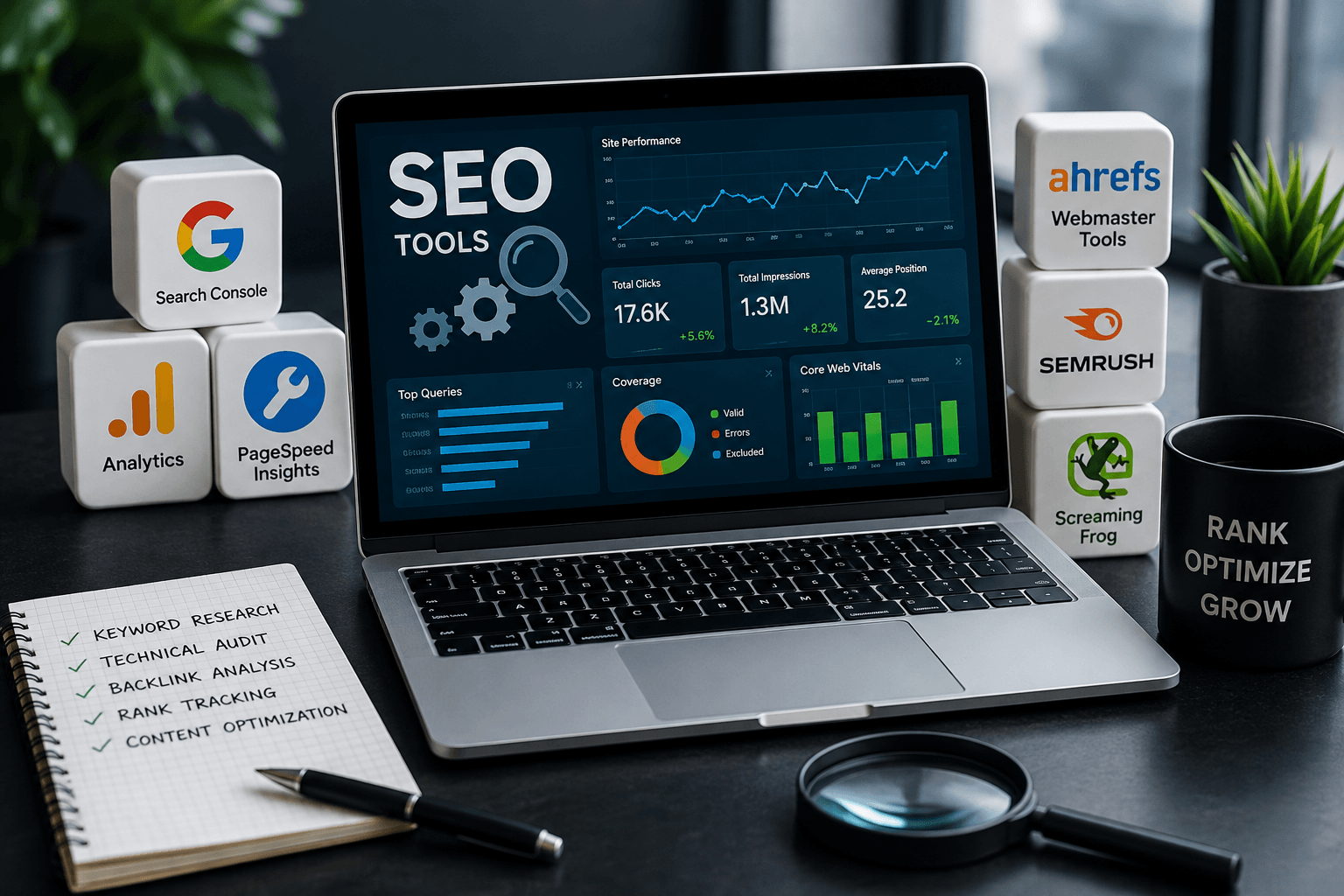
Google Search Console is non-negotiable. It shows actual keyword impressions, clicks, average position, indexing status, Core Web Vitals scores, and manual action alerts. No third-party tool can replicate this because Google doesn’t share raw ranking data with anyone else. If you install only one thing from this list, install this.
Google Analytics 4 shows what happens after someone lands on your page: bounce behavior, session duration, conversion paths. It’s genuinely overwhelming for beginners (the interface has been redesigned three times since GA4 replaced Universal Analytics, and it still confuses long-time users).
Google Keyword Planner requires a Google Ads account, but you don’t need an active campaign to use it. Search volume ranges are bucketed rather than exact once your ad spend is low, which is the main complaint people have, but it’s still the most direct line to Google’s own demand data.
Google Trends is underused for actual SEO decisions. It’s better for spotting seasonality and rising queries than for keyword volume. If you write about “best space heaters,” Trends will tell you October through December is your window, months before your traffic tools show a spike.
PageSpeed Insights (built on the Lighthouse engine) grades Core Web Vitals and gives specific fixes, like which images are oversized or which JavaScript is render-blocking. It’s the same engine Screaming Frog and GTmetrix use under the hood, so scores tend to align.
Google Business Profile matters more in 2026 than it did five years ago because Google now pulls directly from your profile data into AI Overviews for local queries. An incomplete profile can cost you visibility at the exact moment someone’s deciding where to buy.
Free Tools for Real Keyword Research
This is where most free tiers get stingy, so knowing the actual limits matters before you build a workflow around one.
Ubersuggest gives keyword volume, difficulty, and content ideas, but the free tier caps you at 3 searches per day. That’s fine for occasional lookups and genuinely frustrating if you’re planning a content calendar in one sitting.
AnswerThePublic turns autocomplete and “people also ask” data into visual question clouds, useful for finding the actual phrasing people type. Like Ubersuggest, the free tier is limited to a small number of daily searches, a change from its earlier unlimited-search days.
AlsoAsked does something similar, mapping the nested “people also ask” trees Google shows for a query, which is genuinely helpful for structuring an FAQ section that matches real search behavior.
Semrush’s free account (no trial required, just a signup) gives 10 keyword searches per day and limited site audit checks. It’s the strongest freemium option for competitive research according to most SEO forum threads, even though the daily cap forces you to be selective about what you check.
Moz’s free Keyword Explorer allows a handful of queries per month without a paid plan, plus the MozBar browser extension shows Domain Authority and Page Authority on any page you visit, which is handy for quick competitor scans while browsing.
Keyword Surfer, a free Chrome extension, overlays estimated search volume directly in Google’s results page, so you see rough numbers without leaving the SERP.
Technical Audits Without Paying a Cent
Technical search engine optimization is where free tools genuinely punch above their weight, mostly because the best one in the category has always had a free tier.
Screaming Frog SEO Spider is the desktop crawler most technical SEOs reach for first. The free version crawls up to 500 URLs per site, no time limit, not a trial. It flags broken links, duplicate titles and meta descriptions, redirect chains, missing alt text, and heading hierarchy problems. When I ran that 480-page blog through it, the crawl surfaced 40-plus duplicate meta descriptions I hadn’t noticed, all from a template bug in the CMS. That one fix took an afternoon and measurably cleaned up how pages competed against each other in search. The catch: above 500 URLs you’re either paying £199 (about $259) a year or crawling in batches, which gets tedious fast.
GTmetrix gives a free page speed report with waterfall charts showing exactly which requests are slowing you down, complementary to PageSpeed Insights rather than a replacement for it.
Bing Webmaster Tools is skipped constantly, which is a mistake. Bing still handles a meaningful slice of desktop search traffic in the US, and the tool includes a free backlink report and keyword data that Google Search Console simply doesn’t offer.
Backlinks and Competitor Research on a Free Budget
Backlink data is the category where free tools are weakest, and it’s worth being honest about that upfront rather than overselling any single tool here.
Ahrefs Webmaster Tools is the standout. It’s free forever, no payment method required, and gives you Ahrefs’ full backlink index for your own domain plus a technical audit checking over 170 factors. The catch, and it’s a real one, is that it only covers domains you can verify ownership of. You cannot use it to snoop on competitors, and there’s no historical trend data. For checking your own site’s backlink profile, though, it’s arguably better than tools people pay $99 a month for.
Moz Link Explorer offers limited free queries and is decent for spot-checking a competitor’s Domain Authority, though Moz’s index is smaller than Ahrefs’ or Semrush’s.
Majestic has a free backlink checker with its own metrics (Trust Flow and Citation Flow) that are less commonly cited than Domain Authority but still useful as a second data point.
Behavior Data and On-Page Help
Microsoft Clarity is completely free with no query limits, and it records real user sessions plus heatmaps showing where people click, scroll, and rage-click. It’s Microsoft’s answer to Hotjar, and unlike Hotjar’s free tier, Clarity doesn’t cap the number of sessions you can record. This is genuinely one of the best free tools on this entire list because there’s no comparable competitor at the same price point of zero.
Yoast SEO and Rank Math, both free WordPress plugins, handle on-page basics: title tag length, readability scoring, XML sitemap generation, and schema markup. Rank Math’s free tier is more generous with schema types than Yoast’s, which reserves several for its paid version. If you’re also exploring useful AI resources for content and productivity, check out our guide to 15 Best AI Tools for Students (Free).
Google’s Rich Results Test checks whether your schema markup is actually eligible for rich snippets, separate from whether it’s technically valid, which is a distinction that trips a lot of people up.
The Full List of 20
Google Search Console, Google Analytics 4, Google Keyword Planner, Google Trends, PageSpeed Insights, Google Business Profile, Google Rich Results Test, Ubersuggest, AnswerThePublic, AlsoAsked, Semrush free account, Moz Keyword Explorer, Keyword Surfer, Screaming Frog SEO Spider, GTmetrix, Bing Webmaster Tools, Ahrefs Webmaster Tools, Moz Link Explorer, Majestic, and Microsoft Clarity.
How to Actually Stack These Without Wasting Time
Don’t try to run all 20 at once. That’s the mistake I made early on, bouncing between six tabs trying to cross-reference numbers that don’t even use the same methodology.
A workable order looks like this: Google Search Console for what’s already working, Screaming Frog for what’s technically broken, Ahrefs Webmaster Tools for your own backlink health, and one keyword tool (pick Ubersuggest or Semrush, not both, since the daily caps make running both a scheduling headache) for planning new content. For content creation alongside SEO research, you can also explore these 15 Best AI Tools for Students (Free).
The honest tradeoff is time versus money. Free tools require more manual cross-checking because none of them talk to each other automatically the way a paid all-in-one platform does. If you’re managing a single blog, that’s a fair trade. If you’re managing ten client sites, the hours spent stitching data together will eventually cost more than a $99-a-month subscription would.
One Thing Worth Doing That Most Guides Skip
Set a recurring monthly date to re-run Screaming Frog’s free crawl on your own site, even if nothing changed on your end. Plugins update, themes push changes, and CMS platforms silently alter meta tags during updates. That duplicate meta description bug I mentioned earlier existed for four months before a routine re-crawl caught it. A free tool only pays off if you actually schedule its use instead of treating it as a one-time setup step.
FAQ
Are free SEO tools accurate enough to trust?
For technical audits and Google’s own data (Search Console, Analytics), yes, it’s the actual data. For keyword volume estimates from third-party tools, treat numbers as directional ranges, not precise counts. Different tools can show 30% variance for the same keyword.
Can free tools replace an Ahrefs or Semrush subscription entirely?
For a single small site, mostly yes. For competitive keyword gap analysis or tracking dozens of competitor domains, no. Free tools consistently limit you to checking your own site or a handful of daily lookups.
What’s the biggest free SEO tool for local businesses specifically?
Google Business Profile, by a wide margin. It directly controls what shows in Google Maps and local pack results, and its data now feeds AI Overviews for local queries.
Do I need Screaming Frog if I already use Google Search Console?
Yes, they serve different purposes. Search Console shows how Google sees your indexed pages. Screaming Frog crawls your site the way a bot does and finds issues, like broken internal links, before Google even indexes them.
Is Ubersuggest’s 3-search daily limit a dealbreaker?
Not if you plan ahead. Batch your keyword research into a list beforehand, then burn through your three daily searches methodically instead of exploring randomly.
